
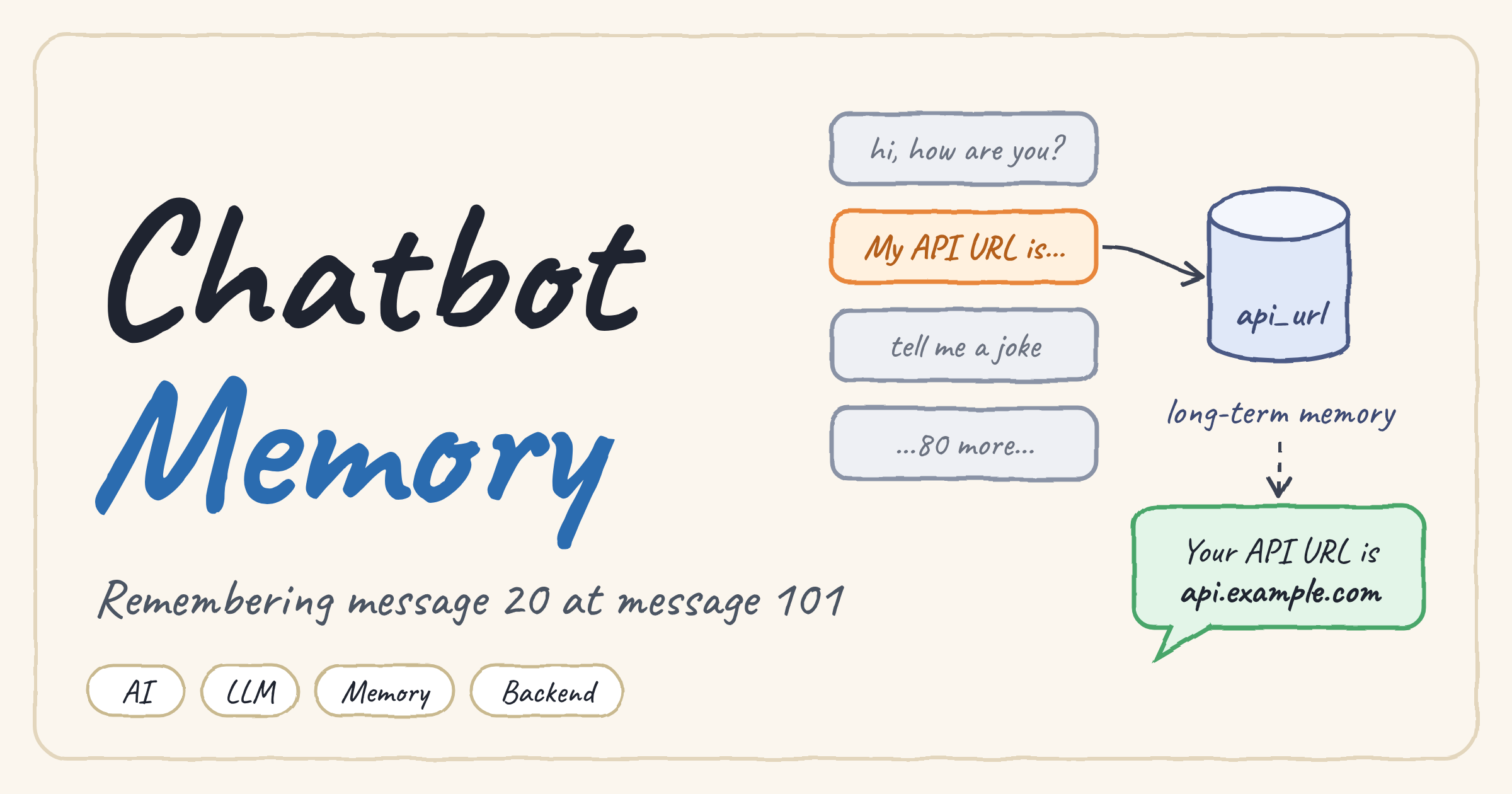
The Problem: A Chatbot That Forgets
Imagine this conversation with a support chatbot:
| Message | Content |
|---|---|
| 1 to 19 | Small talk and general questions |
| 20 | My API URL is https://api.example.com |
| 21 to 100 | Many unrelated questions and answers |
| 101 | What is my API URL? |
An LLM has no memory of its own. It only sees what you send it in each request. Sending all 101 messages works for a demo, but in production it is slow, expensive, and eventually impossible because of the context window limit. So you cut the history. The most common way to do it is also the most dangerous:
Now the model only sees the last three messages. Message 20 is gone, and the model either says it does not know or, worse, invents a URL.
Why Filtering and RemoveMessage Are Not Enough
If you build chatbots with LangGraph or LangChain you quickly meet the standard toolbox: filtering, RemoveMessage, trimming, summarization. They are all useful, but they answer a different question from the one we have.
- Filtering chooses which messages are sent to the LLM. If the important one is not selected, it is lost.
- RemoveMessage deletes messages from the graph state. Whatever information they held is deleted with them.
- Trimming keeps the context under a token budget, but it cuts by position, not by importance.
All of these treat the conversation as history: what was said. What we actually need is memory: what the system must keep and be able to bring back later.
History is what was said in the conversation. Memory is what the system decided to keep and can retrieve in the future. They are not the same thing.
The Solution: Memory Extraction
Instead of hoping that an important fact survives inside the message window, the system extracts it at the moment the user says it and stores it in a structured form. When the user sends message 20:
a memory extraction step produces:
and saves it in a database or a long-term memory store. From now on you can delete message 20 from the state, and the information is still safe.
Three Ways to Decide What to Store
| Approach | How it works | Tradeoff |
|---|---|---|
| Rules | Regex or pattern matching, for example pull a URL out of any message that mentions an API URL | Fast, cheap and predictable, but only catches cases you thought about |
| LLM extraction | Ask an LLM to read the message and return the important facts as JSON | Flexible and understands any phrasing, but costs tokens and must be validated |
| Hybrid | Rules for well-defined data (emails, URLs, IDs), LLM for everything else | Best balance for most production systems |
Here is a minimal LLM-based extractor. The important details are the strict JSON output, the empty object for messages with nothing to remember, and the upsert so a corrected value replaces the old one:
Memory Retrieval: Getting the Right Fact Back
Storing is only half the job. When message 101 arrives, What is my API URL?, the system uses the question to search the memory and bring back only what is relevant. The LLM never needs to see the other 100 messages.
Retrieval can be implemented in three ways:
- Metadata / structured lookup. The memory is a table or key-value store, and you fetch
api_urldirectly. Perfect for well-defined facts. - Semantic search with embeddings. You embed the question and find the closest stored memories. Useful when the question does not use the same words as the stored fact.
- Hybrid retrieval. Use both: structured lookup for known keys, semantic search for the fuzzy rest.
Message 101 now reaches the model with api_url in its context, even though message 20 was deleted a long time ago.
Putting It All Together
The old techniques still matter. The point is that each one has a clear job, and none of them is a memory system on its own:
| Technique | Role |
|---|---|
| Filtering | Choose which messages are sent to the LLM |
| RemoveMessage | Delete messages from the graph state |
| Trimming | Keep the context under a token limit |
| Summarization | Compress the old part of the conversation |
| Long-term memory | Store the important facts in a structured form |
| Retrieval | Bring back only what the current question needs |
A practical prompt for a production chatbot is assembled from four layers:
- Recent messages so the model understands the current dialogue.
- Summary of the older conversation.
- Long-term memory with important, structured facts.
- Retrieved context containing only what relates to the current question.
Production Notes
- Do not store everything. Temporary or unimportant details turn memory into a second, noisier chat history.
- Handle sensitive data carefully. Passwords, tokens and personal data need explicit rules: what is stored, where, for how long, and how the user can delete it.
- Handle updates. When the user corrects a fact, replace the old value instead of keeping two conflicting ones.
- Evaluate extraction. Test whether the system stores the right facts and does not store wrong ones. A bad memory is worse than no memory.
Conclusion
Trimming and filtering control the size of the context. They do not decide what is worth remembering. A real memory architecture separates two things: the conversation history, which can be cut, summarized and deleted freely, and the memory, which holds the facts the system must keep and can retrieve when needed.
That difference is the step from a simple chatbot to one with a true memory architecture, and it is worth understanding well before you build RAG pipelines or multi-agent systems that run long conversations.